Tracking Homebrew downloads with GitHub's API
• ~1,000 words • 5 minute read
If you distribute software through Homebrew or Scoop, you've probably wondered if anyone is actually instaslling your tools. Neither package manager gives you install analytics out of the box. But if your release pipeline flows through GitHub and produces platform-specific artifacts—tarballs, zips, binaries per operating-system and architecture combo—their API quietly tracks download counts on each release asset. This turns out to be a decent-ish heuristic depending on how you've setup your taps and buckets.
When you set up a Homebrew tap or Scoop bucket, the formula/manifest typically points to a specific release asset. These could be hosted anywhere, technically. If you're hosting them yoursef on an S3 or R2 bucket for example you can probably build better tools for tracking installs from package manangers—maybe even get interesting user-agent data to tell you more about how people are consuming them.
On GitHub they track requests to your release assets for you! They don't publish them anywhere on the dedicated Releases page for your repo, but when someone runs brew install georgemandis/tap/copycat (for example), Homebrew downloads the tarball from the GitHub release for that project and GitHub increments the download count on that asset. This also happens if you click on an asset on the Releases page for your repo and download it from the browser.
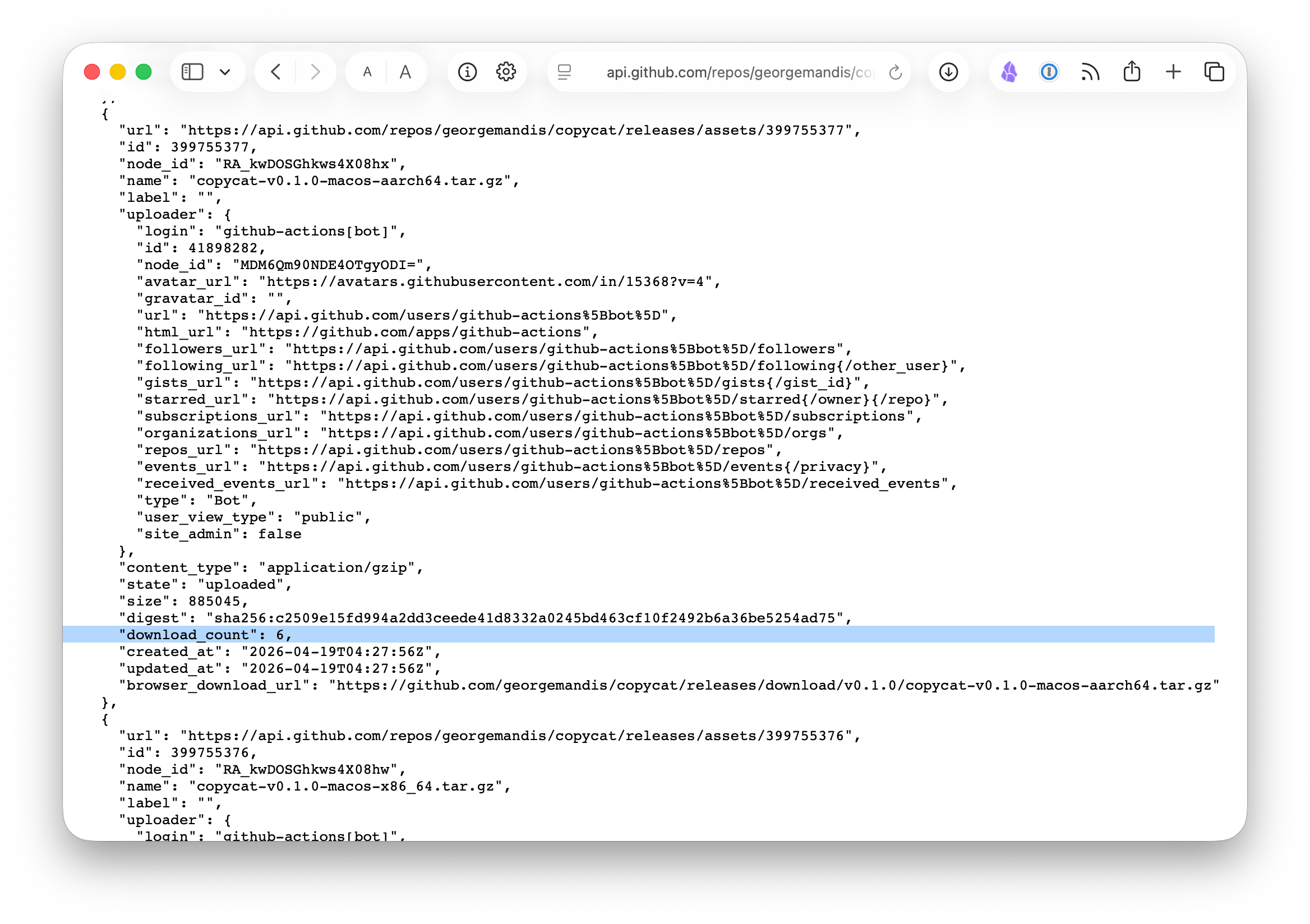
The GitHub API exposes this per-asset:
GET /repos/{owner}/{repo}/releases
Give it a look here for my CLI clipboard introspection tool copycat:
Each release object includes an assets array, and each asset has a download_count field. Sum those up across releases and you have a rough total.
We can't distinguish between someone installing via Homebrew, downloading directly from the releases page, or curl-ing the URL from a script, but if the majority of your distribution is through package managers—and your releases have per-platform artifacts that only make sense to download through a tap or bucket—it's probably close enough to be useful.
I'm using this right now over at less.software, where I maintain brief pages for the tools I've been building. I wanted a releases page that automatically pulls download stats, clone traffic, and version history for every project in my Homebrew tap and Scoop bucket.
The setup is a bash script called releases.sh that runs during the site's GitHub Actions build. It lists the contents of my homebrew-tap and scoop-bucket repos via the API, takes the union of formula/manifest names, fetches release data for each project (versions, dates, per-asset download counts), pulls clone traffic from the traffic API (14-day rolling window, merged into a persistent clone-history.json so all-time numbers accumulate), and generates a Markdown page with the results.
The workflow is simple:
- name: Fetch release data
  run: bash releases.sh
  env:
    GITHUB_TOKEN: $

- name: Build site
  run: bash less.sh
The discovery step is convenient. When I add a new project to the tap or bucket it appears on the releases page automatically. If I'm on top of providing a nice description for my projects it even looks kind-of nice!
Here's what the project discovery looks like in the script:
# Discover projects from homebrew-tap
homebrew_projects=$(cached_fetch \
  "$API_BASE/repos/$GITHUB_OWNER/homebrew-tap/contents/Formula" \
  | jq -r '.[].name | select(endswith(".rb")) | rtrimstr(".rb")')

# Discover projects from scoop-bucket
scoop_projects=$(cached_fetch \
  "$API_BASE/repos/$GITHUB_OWNER/scoop-bucket/contents/" \
  | jq -r '.[].name | select(endswith(".json")) | rtrimstr(".json")')

# Union and deduplicate
projects=$(printf '%s\n%s' "$homebrew_projects" "$scoop_projects" | sort -u)
And the per-release download counting:
while IFS=$'\t' read -r tag_name published_at downloads; do
  total_downloads=$((total_downloads + downloads))
done < <(echo "$releases_json" | jq -r '
  .[] | [
    .tag_name,
    .published_at,
    ([.assets[].download_count] | add // 0)
  ] | @tsv
')
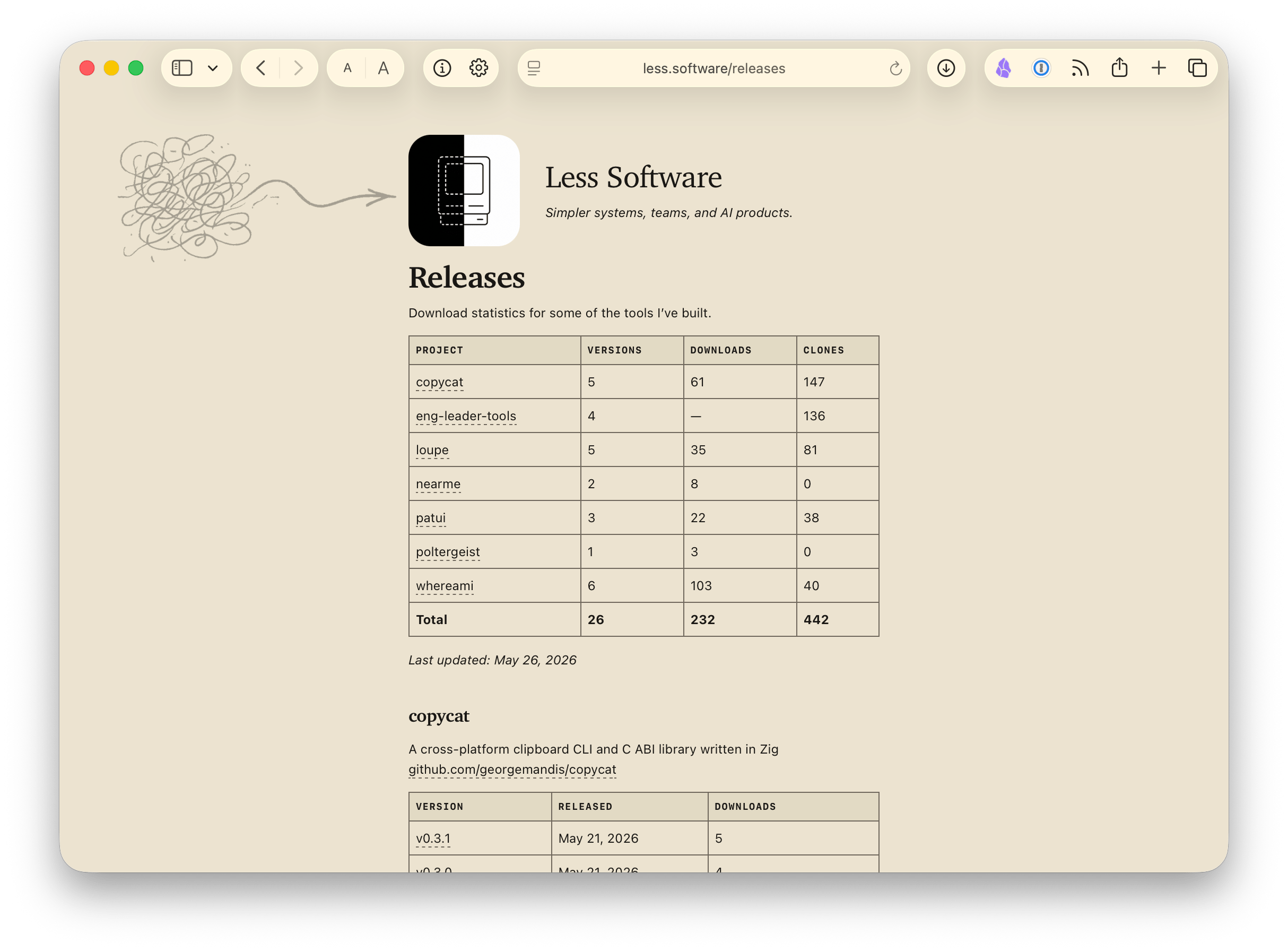
The result is a page like this, rebuilt daily:
| Project | Versions | Downloads | Clones |
|---|---|---|---|
| copycat | 5 | 61 | 147 |
| loupe | 5 | 35 | 81 |
| whereami | 6 | 103 | 40 |
| Total | ... | 232 | 442 |
You can see the live version at less.software/releases.
I extracted the core of this into a standalone script called package-release-tracker.sh. It takes a GitHub username, auto-discovers all homebrew-* and scoop-* repos for that user or org, and spits out a self-contained HTML page. No dependencies beyond bash, curl, and jq. Some fun ones to try it against:
- aws — SAM CLI, copilot, eksctl, and ~20 other tools in a centralized tap
- charmbracelet — gum (3.1M downloads), glow, vhs, soft-serve, and more
- goreleaser — the tool many people use to build these release pipelines in the first place
- derailed — k9s and popeye, distributed through separate per-project taps
One important caveat: this only works for projects distributed through your own taps and buckets. Popular projects that graduate to homebrew-core or Scoop's main bucket get installed from those central repos instead — their downloads no longer hit your GitHub release assets. If you look at a tap and find nothing but a tap_migrations.json, that's a sign the project has moved on. Something like gcloud-cli, for example, lives in homebrew/cask and downloads from Google's own CDN — completely invisible to this approach.
The download count is cumulative and never resets. There's no time-series data for release assets. You know how many but not when. The clone traffic API gives you daily granularity, but only a 14-day rolling window, which is why I'm persisting and merging the data across builds on less.software.
Like I mentioned earlier, there's no way to attribute downloads to a source. A brew install and a browser click on the .tar.gz link look identical. This is probably fine for 99% of projects. If you really care about a more accurate measurement you could explore hosting the assets yourself.
Separate trick while I'm on the subject of GitHub Actions: my GitHub profile has a README that automatically updates daily with my latest blog posts and recent projects.
I stole borrowed the idea from Frank Chiarulli Jr., whose profile does the same thing with a Go script. Mine uses a short TypeScript file that runs with Bun:
name: Update README

on:
  schedule:
    - cron: "0 0 * * *"
  push:
    branches: [main]
  workflow_dispatch:

jobs:
  update-readme:
    runs-on: ubuntu-latest
    if: github.ref == 'refs/heads/main'
    steps:
      - uses: actions/checkout@v4
      - uses: oven-sh/setup-bun@v2
      - run: bun run generate.ts
      - name: Commit and push
        run: |
          git diff --quiet README.md && exit 0
          git config user.name "github-actions[bot]"
          git config user.email "github-actions[bot]@users.noreply.github.com"
          git add README.md
          git commit -m "Update README with latest blog posts and projects"
          git push
The generate.ts script does two things:
- Fetches my blog's JSON feed and extracts the five most recent posts
- Hits the GitHub API for my most recently pushed repos, filters out forks and infrastructure repos (taps, buckets, the profile repo itself), and takes the top ten
Then it writes a Markdown file with tables for each section. The workflow should commit and push only if the README actually changed.
You need an RSS or JSON feed for the blog post part. If your blog already publishes one, you're most of the way there. The profile README repo is just a repo named after your GitHub username, and GitHub renders its README.md on your profile page.
You can see the workflow and generator script directly.
The download tracking gives me a rough sense of whether anyone is using my tools. The README keeps my GitHub profile current without me thinking about it. Both run on free GitHub Actions minutes, which I'm keeping an eye on and may reduce to weekly if I start breaking out of the free threshold.
Published on Tuesday, May 26th 2026. Read this post as plain-text.
If you enjoyed reading this consider sponsoring my work on GitHub, subscribing to my newsletter or sharing it on Hacker News.